
After logging in, select Make a Transfer.

If you have not yet connected the external account, select Add External Account.

In order to proceed, read through the disclosure and select Accept & Continue.
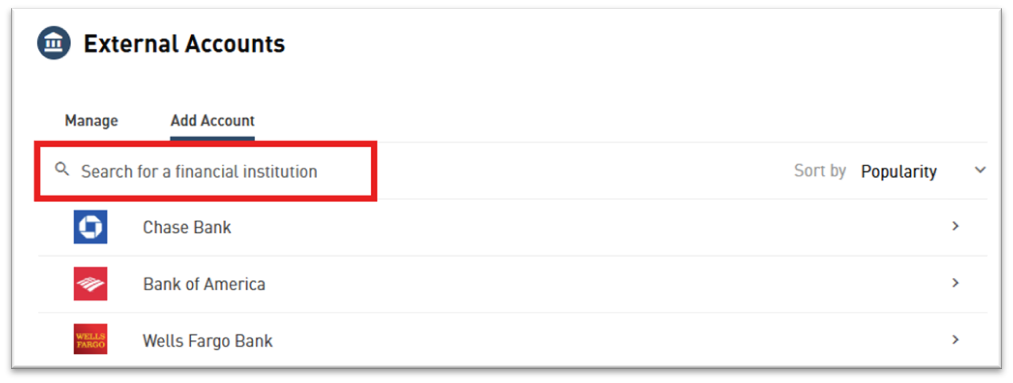
Use the Search box to locate your external Financial Institution, then click directly on it.
Enter the routing number, account number, choose the account number, and select whether it is also a business account, then click Connect.
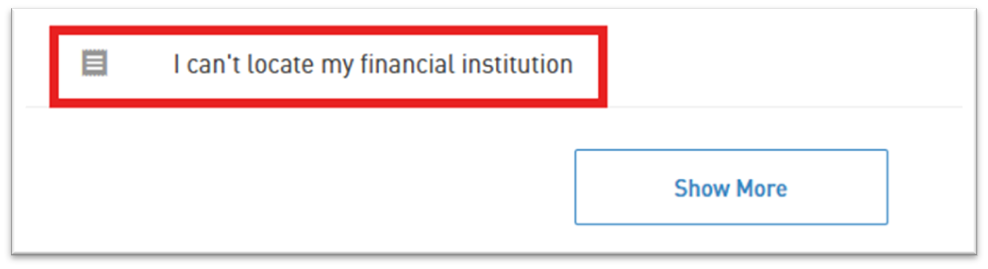
If your Financial Institution is not in the list, select I can’t locate my financial institution from the bottom of the list. This method will require verification using micro deposits, and may take several business days.
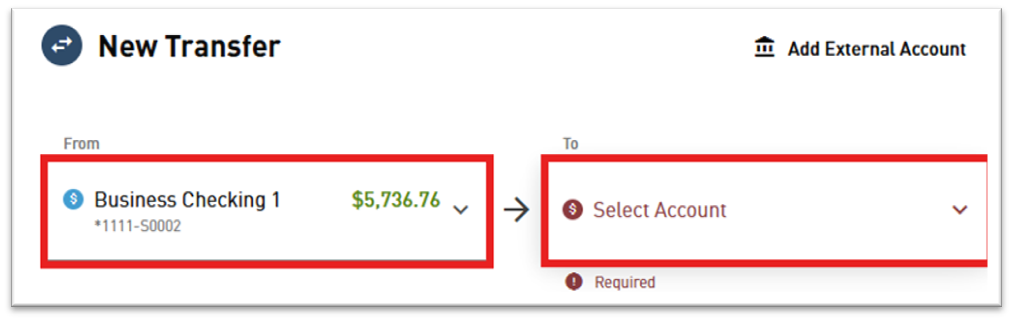
Once the external account has been verified and connected, select Make a Transfer, then choose the From account and the To account. Your external financial institution will now show up in each list under External Accounts.

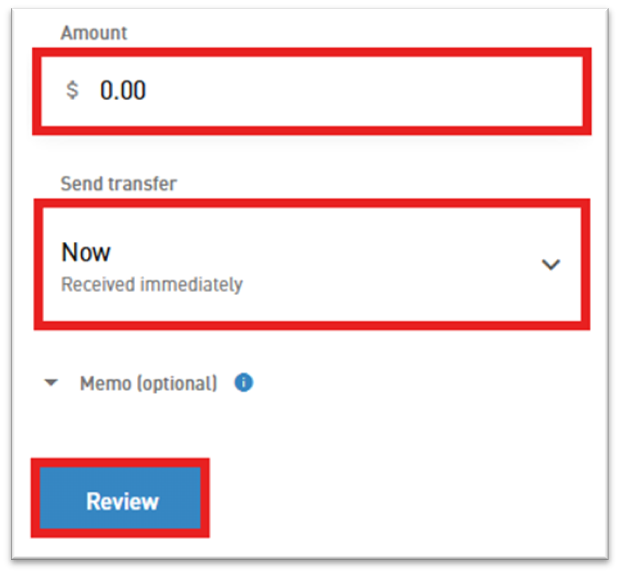
Lastly, choose the amount you would like to transfer, when you would like the transfer to initiate, and click Review.
Carefully review the transfer details before clicking Confirm.
*Note: external transfers may take several business days before the funds have moved.